 Cardinal Locator
Live demo
WordPress store locator demo
This is the real plugin, loaded with 34 parks around the Twin Cities. Search an address or ZIP code to sort them by distance, then narrow the results by city, postal code or category.
About this demo
What you’re looking at
- Search by address or ZIP code. The search is geocoded by Google and results are sorted by distance, with directions from the searched address.
- The list and map stay in sync. Select a result to open its marker, or a marker to jump to its result.
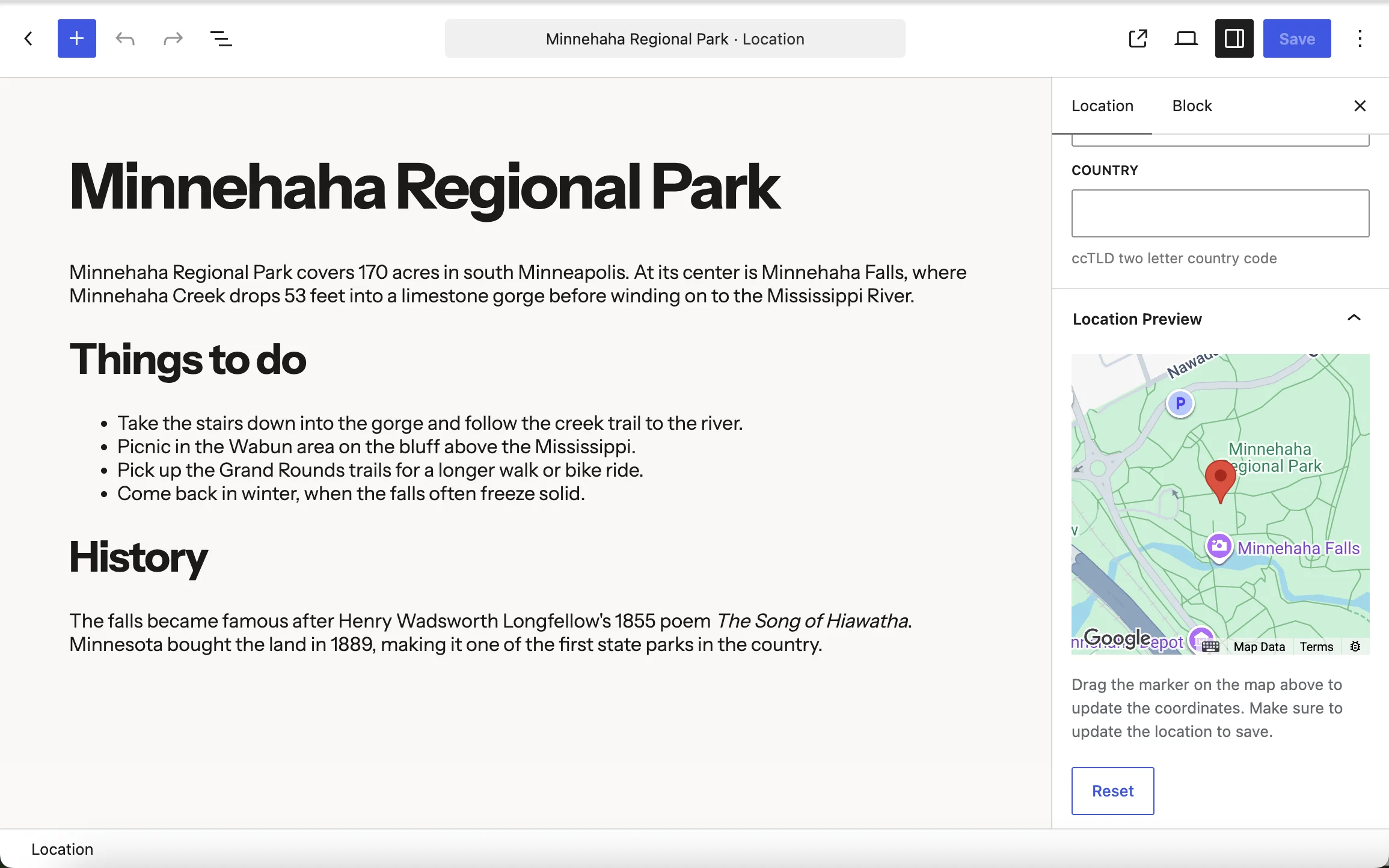
- Ordinary WordPress content. The 34 parks are posts in the plugin’s built-in Locations post type, geocoded automatically when saved.
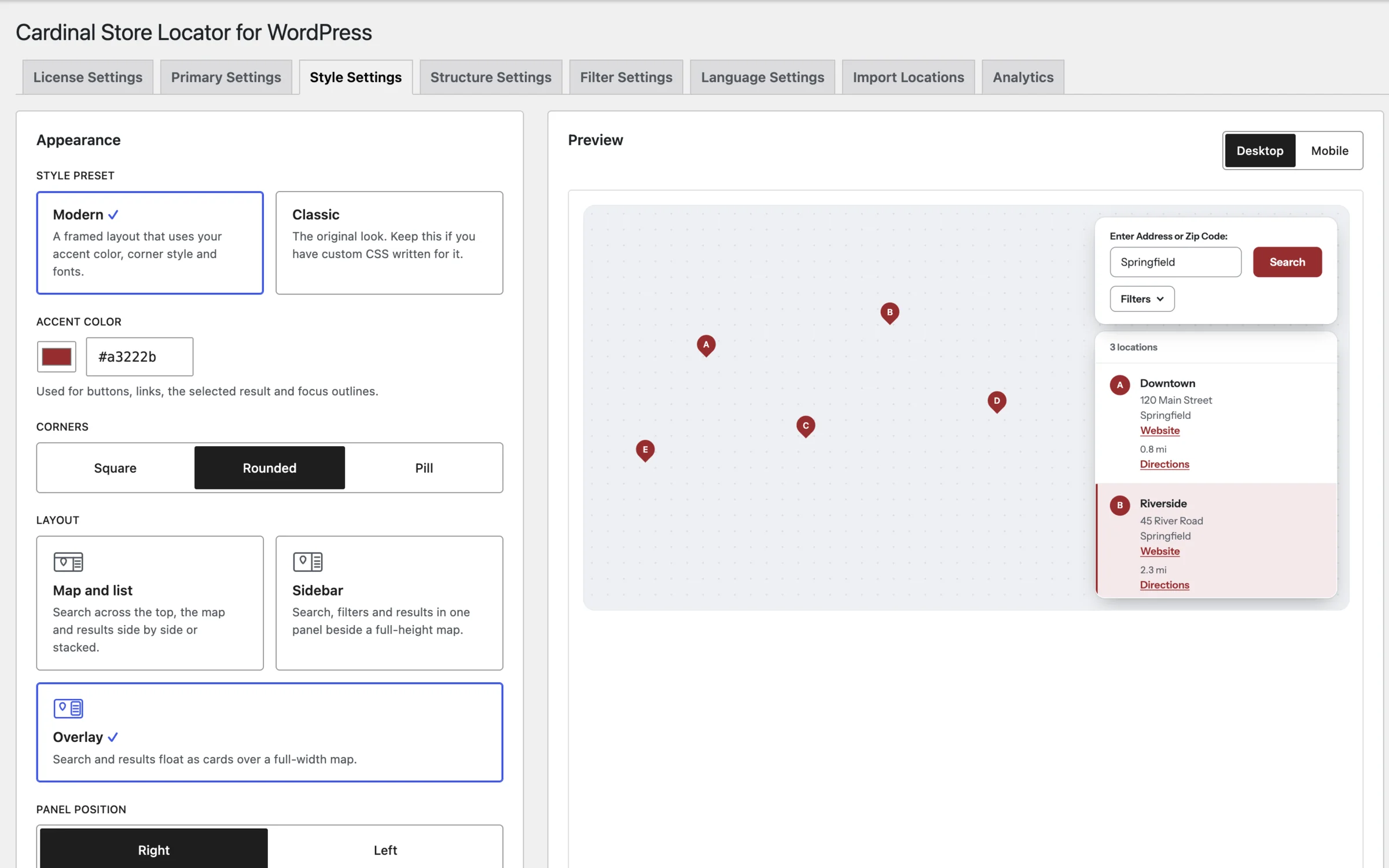
- The Modern style preset. One setting, plus an accent color, corner style and list position. No CSS needed. Switch to Classic above to compare it with the original look.
- Filters that answer instantly. City, postal code and category filters run in the browser with no extra requests, and options with no matching parks are disabled. Filters can use any taxonomy, as a select, radio buttons or checkboxes.
Features
Everything in every license
Single Site, Multi Site and Unlimited licenses all get the full plugin. They only differ in how many sites you can activate.
Data
Your data, your way
Use the built-in Locations post type, map the address fields of a post type you already have (ACF Google Map fields are detected automatically), or load JSON, XML or KML files, local or remote.
Import
Bulk import
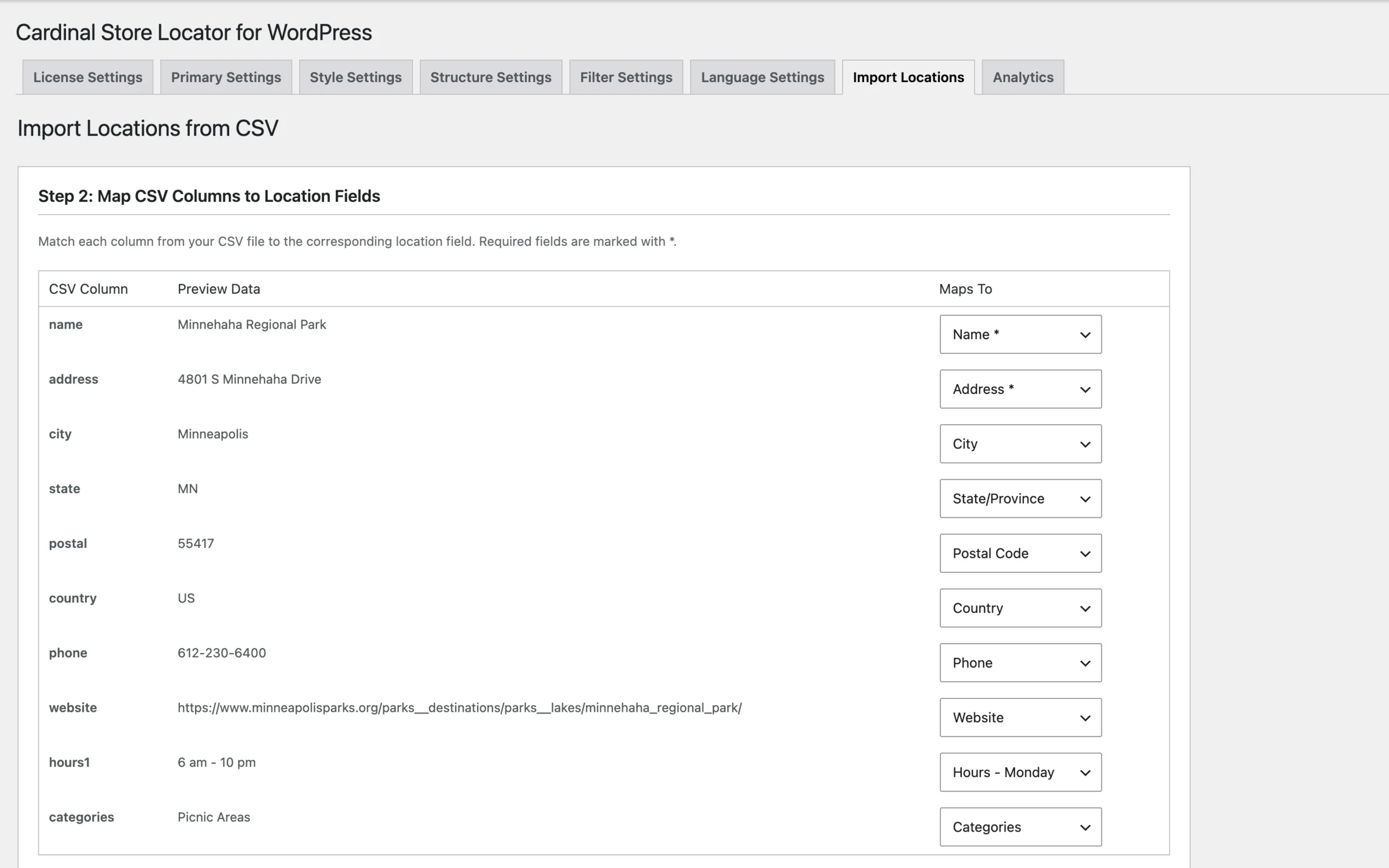
Import a CSV from the dashboard, or script it with the wp cardinal-locator import WP-CLI command. Locations without coordinates are geocoded in the background.
Search
Search & filters
Address and ZIP search sorted by distance, name search and maximum distance. Filter by category, any custom taxonomy, city, state, postal code or country, as selects, radios or checkboxes.
Display
Map & list options
Cloud map styling with a Map ID, Advanced Markers, marker images per category, inline directions, pagination, featured locations, a modal layout, and miles or kilometers.
Scale
Built for big datasets
A dedicated mode for 1,000+ locations queries a REST endpoint and a custom coordinates table instead of loading everything into the page.
Insights
Search analytics
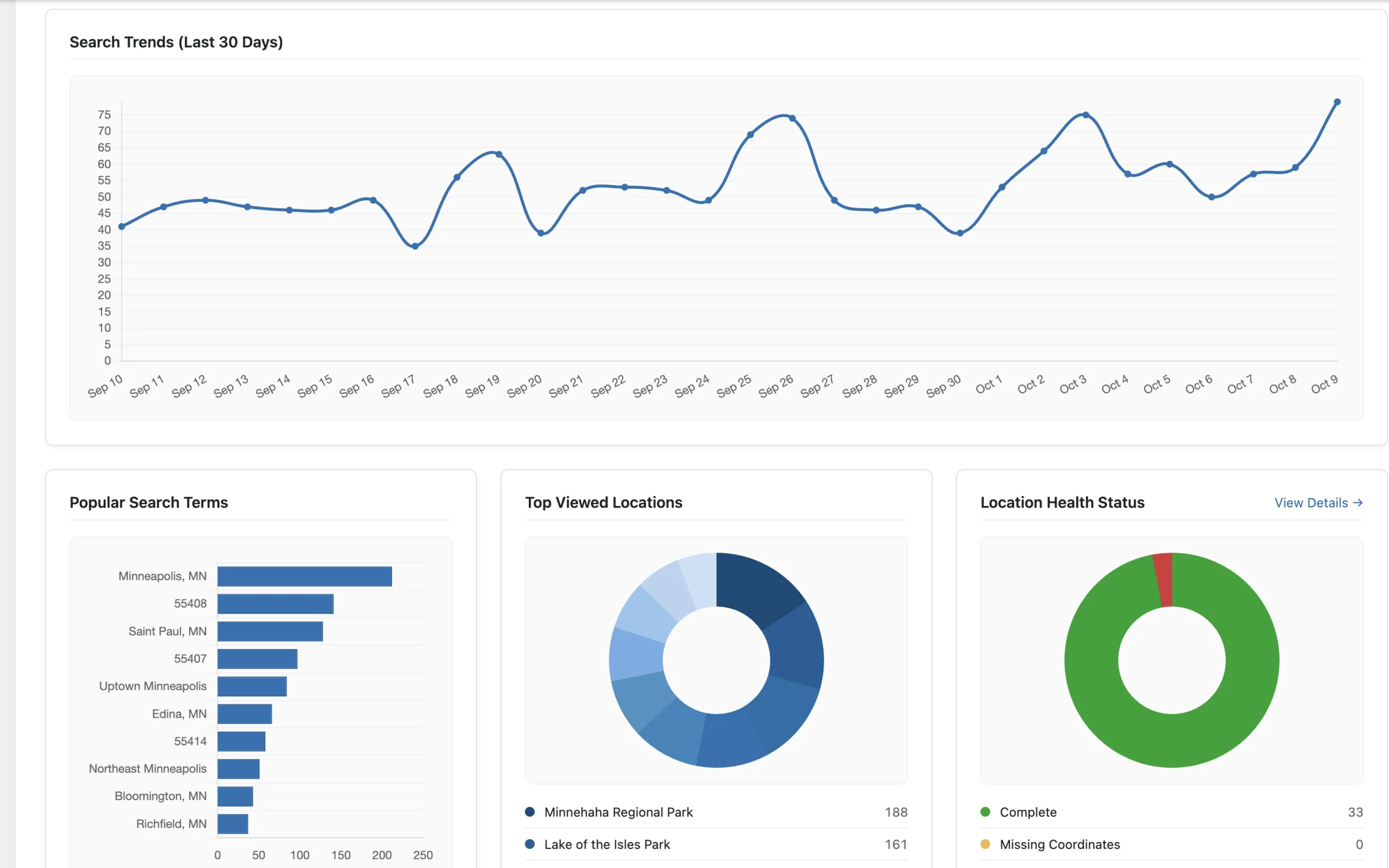
See search volume, popular and failed searches, and the most viewed locations. Data stays on your site, and tracking is off until you turn it on.
Editor
Blocks & WooCommerce
Add the locator with the Locator block and single maps with the Single Location Map block. With WooCommerce, link products to the locations that carry them.
Developers
Extend everything
PHP filters and hooks, JavaScript callbacks, overridable Handlebars templates and a REST API.
Behind the scenes
Inside the dashboard
The demo shows what visitors see. Here’s what you work with.
Put your locations on the map.
Set up in minutes. No code required.