 Cardinal Locator
Cardinal Locator version 1.11.0 has been released with two major and long awaited features. The first is a new store locator analytics dashboard that is opt-in by design, privacy focused, and doesn’t require any third-party account or service. The other feature is a location import interface also within the WordPress admin that allows users to import location data from a formatted CSV file. This release also includes a minor fix for the Google Maps advanced marker click handler that was creating warnings in the browser console.
Store Locator Analytics Dashboard
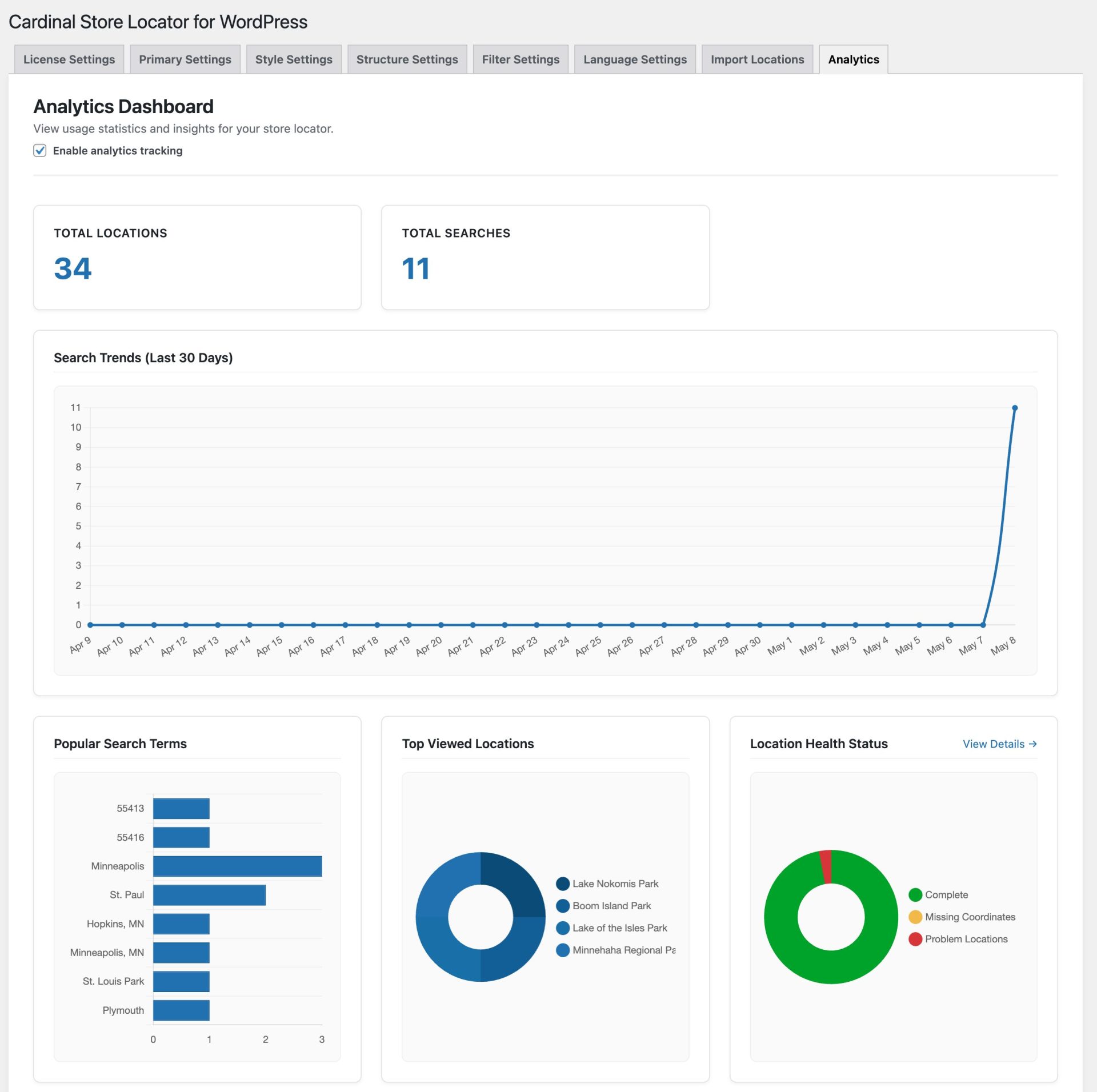
The store locator analytics dashboard is located at WP Admin > Settings > Cardinal Locator > Analytics.
After opting in by checking the “Enable analytics tracking” checkbox setting, the new built-in analytics dashboard will track:
- Total store locator searches over time
- Most popular search terms (what locations visitors are looking for)
- Failed searches — terms that returned no results (useful for spotting coverage gaps)
- Which locations get the most clicks, and whether visitors click the map marker or the list result
- Directions requests and other interactions
- Search volume trends over a rolling 90-day window
The analytics functionality does NOT track:
- IP addresses
- Precise or approximate visitor location coordinates
- Individual session identifiers
- Anything that can identify a specific visitor
How data is stored:
- All data is aggregated on your own server in the WordPress database. Data never leaves your server — no third-party requests
- Stored as frequency counts, not individual records
- Search trends automatically prune entries older than 90 days
- Site owners can clear all analytics data at any time from the bottom of the Analytics settings page by clicking the “Reset Analytics Data” button
Privacy policy:
- The plugin automatically adds a suggested disclosure to your WordPress Privacy Policy page (Settings → Privacy Policy)
- Describes exactly what is and isn’t collected in plain language
- Site owners can copy the suggested text directly into their published privacy policy
CSV Import Interface
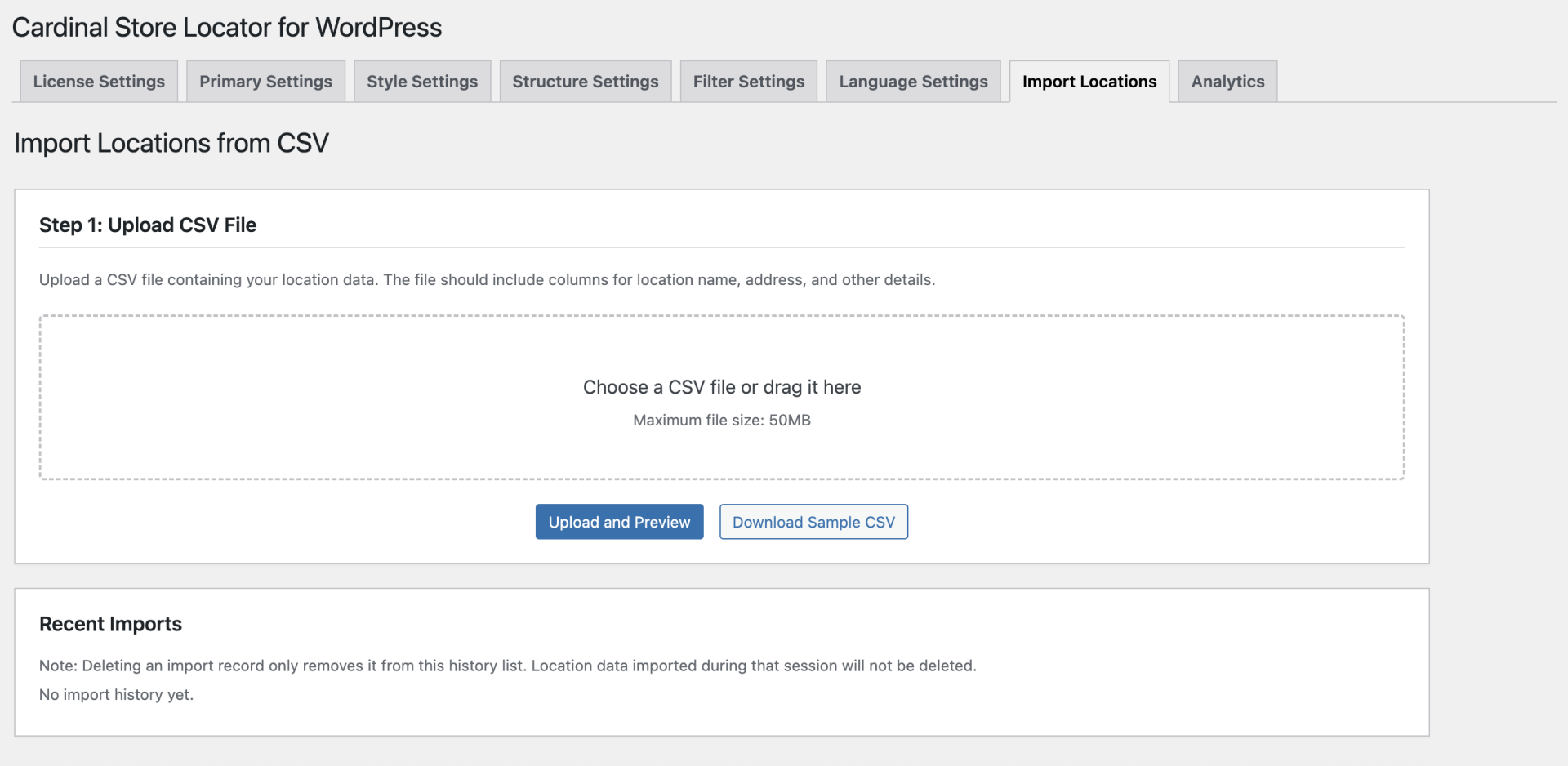
The location import interface is located at WP Admin > Settings > Cardinal Locator > Import Locations. This functionality is only visible in the admin when the “Register Locations Post Type” is selected as the Data Source value under the Primary Settings tab. Alternative post types and other Data Source options are not supported. The interface allows you to upload a CSV file directly from the WordPress admin and map the column in the sheet to the location data that’s required for importing.
The import interface handles the full process from upload to geocoding, with several safeguards built in:
- Security-first upload handling
- Files stored in a protected directory with
.htaccessandindex.phpblocking direct access - Malicious content scanning checks for embedded PHP, script tags,
eval(), andbase64_decodebefore processing begins
- Files stored in a protected directory with
- Preview before committing
- Review the first 5 rows of your data with header detection before the import runs
- Column mapping
- Full field support: all 21 location fields including name, description, address lines, city, state, postal, country, phone, email, website, hours for all 7 days, and manual lat/lng override
- UTF-8 encoding handled automatically, including detection and correction of double-encoded characters (common when exporting from Excel)
- Background processing
- Large files import without blocking the browser or risking a timeout
- Real-time progress
- Live status shows created, updated, skipped, and error counts as the import runs
- Cancel an in-progress import at any time
- Import history
- Last 20 imports logged with row-level results; files auto-clean after 7 days
- Sample CSV download
- Grab a pre-formatted template with all 21 supported columns to use as a starting point directly from the admin
- Geocoding runs automatically for any imported location that doesn’t already have lat/lng values
Version 1.11.0 is available now. Update from your WordPress dashboard or download directly from the Cardinal Locator account page.
Version 1.11.0 Changelog
- Added analytics dashboard under a new Analytics tab to track store locator usage including search volume trends, popular and failed search terms, top location views, and interaction counts. Analytics data is aggregated and stored locally — no data leaves the site. Tracking is disabled by default and must be enabled from the analytics settings page.
- Added analytics dashboard widget to the WordPress admin dashboard summarizing key metrics (displayed when analytics tracking is enabled).
- Added new CSV import interface for importing via the WordPress admin to the default locations post type.
- Added privacy policy disclosure content via wp_add_privacy_policy_content documenting what analytics data is collected and stored, to assist site owners with compliance documentation.
- Fixed Advanced Marker click handler to use gmp-click event per updated Google Maps JavaScript API requirements.